Archive for October, 2008

Oct 18 2008

Night Owl - Tutorial #136

Published by zindorf under Tutorials

dsc06481.JPG

Happy Saturday!  I think I live for the weekends.  :)

This morning I choose to be inspired by a fantasy art piece by Jessica Galbreth.  When I view art for inspiration I pick the elements from it that visually inspired me.  I’m sure you can see the elements that I pick out from this art piece.

jgmysticmermaidpjg-229.jpg

dsc06438.JPG Oh! before I forget, we have a blog candy winner!  Drum roll please. . . . . . . . . . . . .. . . .

The winner is out of 478 entries:

Emilie who wrote “OMG, I really really want to let you know how excited I am every time you do “blog candy” Some day I hope to be the lucky one. I look forward every single day to your creations and oooohhhh and ahhhhhh over each and every step and scroll up and down. I am just like a kid in a candy shop”.

Emilie, congrats, please e-mail your mailing address to mzindorf@aim.com and I will pop these stamps in the mail to you.

Thanks everyone for playing along!

Now on with the tutorial.

This beautiful owl stamp is from a Set from Firecracker Designs By Pamela.  Here is the link to her on line store:  http://www.safesecurestore.com/stores/merchant.mvc?Screen=PROD&Product_Code=4×5099&Category_Code=NEW&Store_Code=firecrackerdesignsbypamela

Supplies:

Stamps: Fire Cracker Designs by Pamela “Yoo Hoo” & Stampendous “Marble Texture Cube”
Paper: Stampin’ Up Whisper White, Not Quite Navy & Chocolate Chip
Ink: Stampin’ Up Night of Navy, Not Quite Navy & Baja Breeze, Palette Noir Black
Accessories: Sponge, Coluzzle, Versmark Marker, White Gel pen, Black fine tip marker, Prismacolor Markers, Ribbons & Silver Brads

dsc06480.JPG

Stamped Owl with Palette Noir Black ink on a 4″ x 6″ piece of Whisper White card stock.

dsc06439.JPG

Extended the branch a bit with a fine tip black marker.

dsc06440.JPG

Colored the Owl with a Prismacolor 10% Cool Grey marker.

dsc06441.JPG

Added Prismacolor Cool Grey 30% marker to the dark parts of the Owl.

dsc06442.JPG

Went a little darker over the darker with a Cool Grey 60% marker, not covering the Cool Grey 30% marker entirely. 

 dsc06443.JPG

Colored over all of the grey areas again with the Cool Grey 10% marker to blend everything together and to get rid of any harsh lines where the colors meet.

dsc06444.JPG

Colored the eyes with Goldenrod.

dsc06445.JPG

Added Cool Grey 10% around the eyes.

dsc06446.JPG

Colored the beak and claws black.

dsc06447.JPG

Colored the branch Light Tan.

dsc06448.JPG

Added a Walnut shadow at the bottom of the branch.

dsc06449.JPG

Colored over the entire image, branch in all with a Versmark marker.

dsc06450.JPG

Heat embossed the image using fine detail clear embossing powder and a heat gun.

Note:  My embossing powder looked a bit pitted the first time, so I went over it again with a Versamark marker and heat embossed it a second time with clear embossing powder.  I wanted to make sure my bird was going to stay grey and white and not turn blue when I put the background in.  :)

dsc06451.JPG

Cut a 3 5/8″ circle from card stock with a circle coluzzle template.

dsc06452.JPG

Used the circle as a mask for the moon and sponged Baja Breeze ink all over the card stock.

Tip: if your sponged ink looks really blotchy keep applying ink until it smooths out.

dsc06453.JPG

Cut a 3 1/8″ circle out of a piece of card stock with a Coluzzle.

dsc06454.JPG

dsc06455.JPG

Used the negative piece of card stock and put the opening to the right side of the moon I create and sponged Baja Breeze ink in the opening.

dsc06456.JPG

dsc06457.JPG

dsc06458.JPG

Sponged Baja Breeze ink to the right of the owl.

dsc06459.JPG

Put the circle mask back on and sponged Not Quite Navy ink around the top, left and bottom of the mask.  I left the right side of the mask light.

dsc06460.JPG

Removed the mask.

dsc06461.JPG

Put the negative piece of card stock back on and sponge Not Quite Navy at the top, left side and bottom of the opening, leaving the right side with not Not Quite Navy on it.

dsc06462.JPG

Removed mask.

dsc06463.JPG

Heavily sponged Not Quite Navy ink at the top and bottom of the card stock.

dsc06464.JPG

Sponged Night of Navy ink at the top and bottom of the card stock, being very heavy at the bottom.

dsc06465.JPG

Time to clean up or I will for sure have a nice big blue fingerprint on my stark white moon.  :)

dsc06466.JPG

I liked unexpected texture in the background of the inspiration piece so I added a bit of marbling to mine.

Stamped side “C” of the Marble texture cube with Baja Breeze ink all of the card stock, while holding my breath, lol.  You just never know if you are pushing a piece to far.  :)

dsc06467.JPG

Whew, let my breath out.  It looks fine.

Wiped the ink from the embossed images with a soft rag.

dsc06469.JPG

Assembled card front and added ribbon and silver brads.

Tip:  you can piece through your ribbon and cardstock with a piecing tool to get your brads started.

dsc06471.JPG

Almost forgot to put some stars in the sky.

Added stars by dotting randomly a bit of White Gel pen in the darkest areas of the card stock.

dsc06473.JPG

Here you have it, the finished card measuring 5″ x 6.5″.

dsc06481.JPG

I hope this tutorial inspired you to look at art and pull from it some really fun shapes to include in your own stamped art.

May your Saturday be all that you want it to be.

Until my next post. . . . .. . . . . . . .

Hugs,

Michelle

Links to all my tutorials can be found here:  http://zindorf.blogs.splitcoaststampers.com/tutorials-ive-written/

Here is a link to my workshop calendar if you want to get info on beginner and advanced Brayer workshops:  http://zindorf.blogs.splitcoaststampers.com/workshop-calendar

Frequently asked questions answers:  http://zindorf.blogs.splitcoaststampers.com/frequently-asked-questions/

43 responses so far

Oct 17 2008

Blog Candy Today! Win a Stamp Set

Published by zindorf under Uncategorized

Times Up!  A winner has been drawn.

dsc06438.JPG

No stamping tutorial today, but I have blog candy instead.  To enter to win this great set of 12 stamps titled “Thinking of You” by Rupa Shevde and Manufactured by Gina K. Designs leave a comment on this post.  :)

If you are getting this blog update by e-mail you will need to click on this link to leave a comment on the post:   http://zindorf.blogs.splitcoaststampers.com/2008/10/17/3483/

I will use a random number generator to select the winner tomorrow, Saturday, October 18th.  Good Luck!

Have a Super Friday!!!!

Hugs,

Michelle

488 responses so far

Oct 16 2008

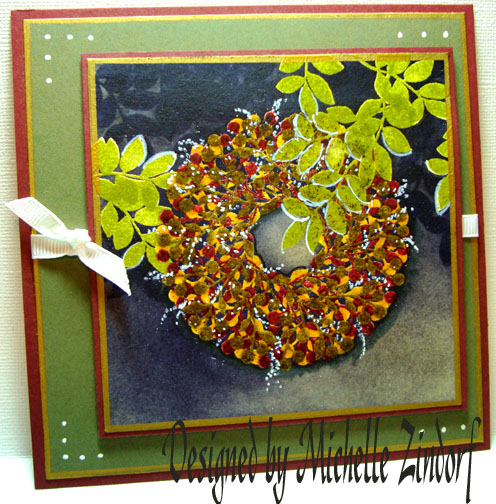
In the Shadows Wreath - Tutorial #135

Published by zindorf under Tutorials

dsc06431.JPG

You will see as you go through this tutorial today a bit of my thought process when I don’t like how things are turning out, lol.  This card almost went in the trash about 10 times as I was making it.  There are elements I love about it and some I really dislike, but here it is anyway.  I’m keeping it real and showing it anyway.

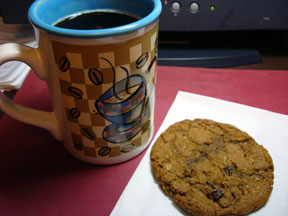
The morning started out OK at 3:30 a.m. with a cup of coffee and an oatmeal cookie.  :)  Breakfast of champions, ya know, lol.

dsc06412.JPG

I had an idea in mind for a card, so I started pulling out supplies:

Stamps: Close to my Heart “Festive Frills” and “Treasure Life”
Paper: Stampin’ Up Whisper White, Always Artichoke & Bravo Burgundy
Ink: Adirondack Oregano, Egg Plant, Butterscotch, Raisin, Lettuce Slate
Accessories: Versamark Pad, Gray Marker, Fine Point Black Marker, Sponge, White Gel Pen, Sharpie Metallic Gold Marker, Dimensionals, White Ribbon, fine detail clear embossing powder, heat gun

dsc06434.JPG

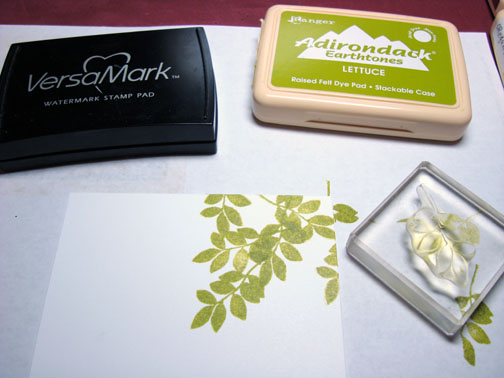
I’m stuck on leaves this week so I stamped the leaves from Close to My Heart “Treasure of Life” set a few times by first loading my stamp with Versamark and then loading it with Lettuce ink before stamping it on a 4.25″ square piece of Whisper White card stock.
dsc06413.JPG

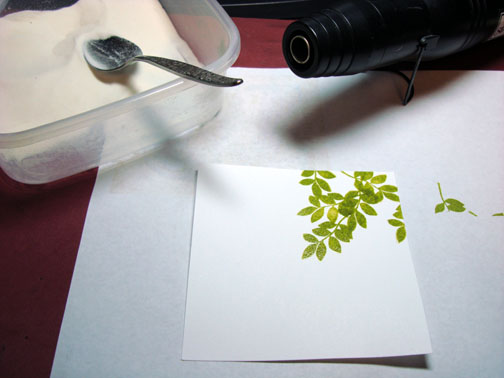
Heat embossed it using fine detail clear embossing powder.
dsc06414.JPG

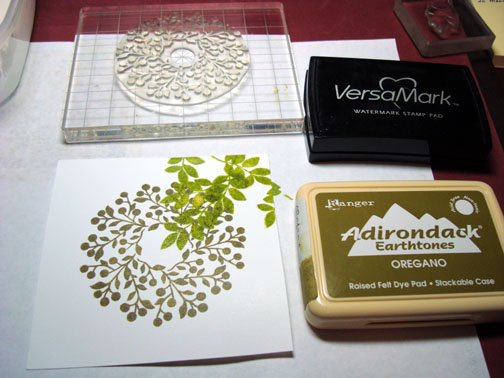
Stamped the Wreath by first loading my stamp with Versamark and then loading it with Oregano ink before stamping it.  “Hmmm, that Oregano looks a little dark, I’ll work with it anyway”.

Ooops!  Missed a picture.  I heat embossed the wreath with clear embossing powder and a heat gun.
dsc06415.JPG

Need to lighten that wreath up.  Stamped the wreath again by loading the stamp with Versamark and then loading it with Raisin ink before stamping.  “Hmmm,  I really don’t like that, but I’ll keep working with it”, lol.
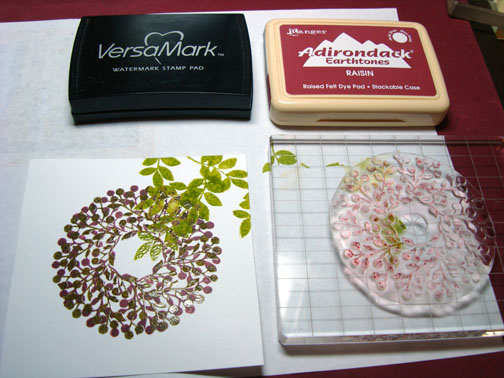
dsc06416.JPG

Heat embossed the image using clear embossing powder and a heat gun.
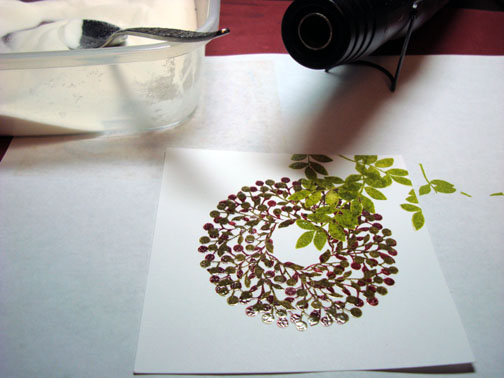
dsc06418.JPG

Ok, need to use a warm color to give some life to this wreath.  Over stamped the wreath again by loading the stamp with Versamark and then loading it with Butterscotch ink before stamping it.  “That’s a bit better”.

Oops!  Miss another photo.  Heat embossed the image using clear embossing powder and a heat gun.
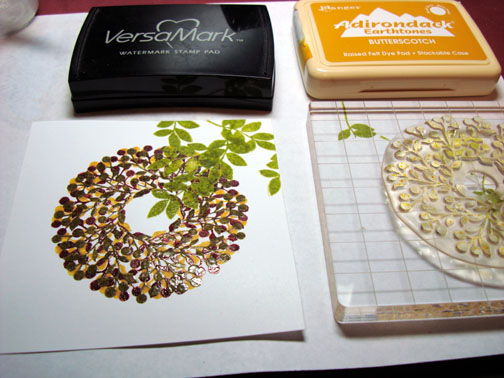
dsc06419.JPG

Need to balance this out a bit, stamped some more leaves on the left side of the card stock by first loading the stamp with Versamark and then loading it with Lettuce ink before stamping.
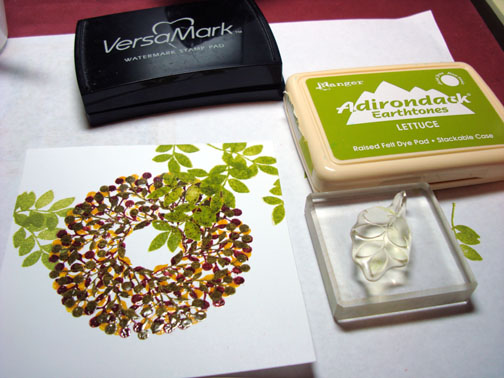
dsc06420.JPG

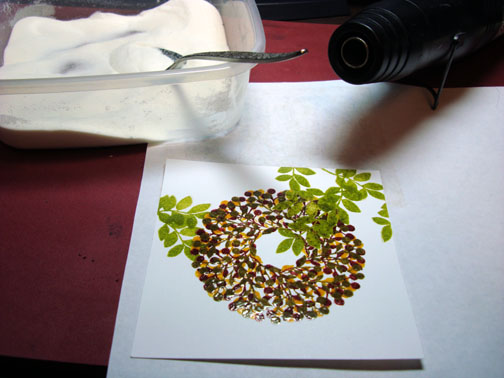
Heat embossed the leaves with clear embossing powder and a heat gun.
dsc06421.JPG

Oops!  Missed yet another photo, sponged Slate ink all over the card stock being heavier with the ink on the top and left side.

Also, sponged Egg Plant ink on the top, left sides of the card stock and over the actual wreath, being careful not to get the Egg Plant ink on the inside opening of the wreath. 

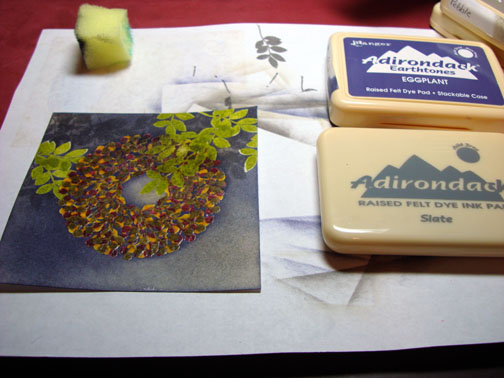
Well for heavens sake, I missed yet another photo.  Stamped leaves at the top of the card stock with Slate ink.

“Yikes!  This background looks really dark, yuck!”  “Hmmm, I’ll continue working on it”.
dsc06422.JPG

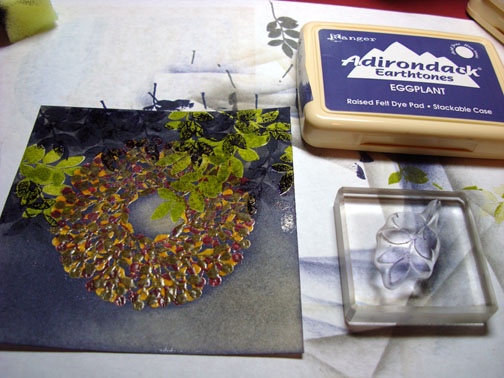
Stamped some more leaves with Egg Plant ink at the top of the card stock.
dsc06423.JPG

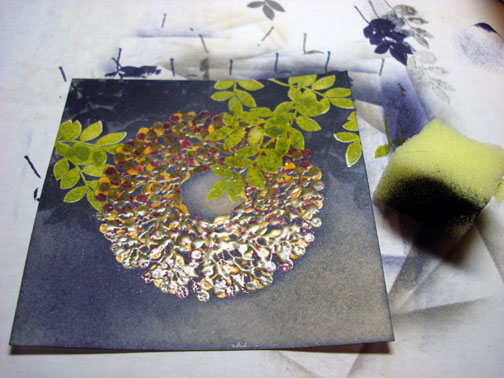
Used my sponge to wipe the ink off of the embossed images.
dsc06424.JPG

Ok, this really needs some light!

Added some dots of white gel pen to the wreath so it looks like babies breath.

Now, that helped a great deal.  Shesh!
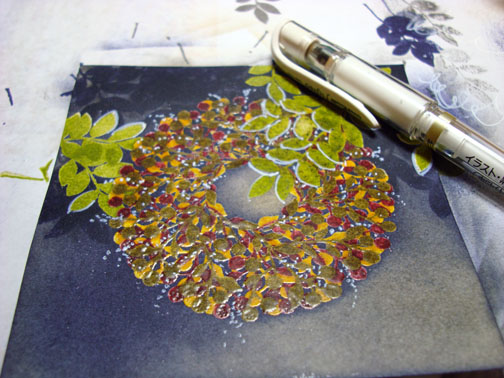
dsc06425.JPG

Used a fine point black marker and outlined the bottom of the wreath and the bottom of the inside of the wreath to make it stand out a little more.
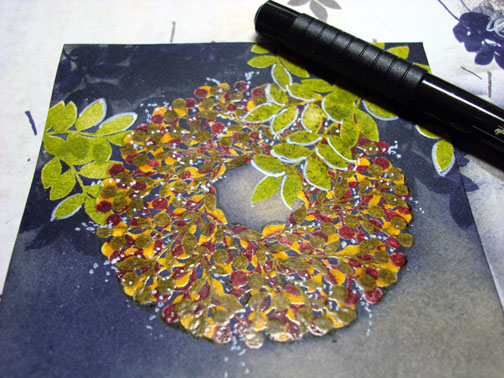
dsc06426.JPG

With the Brush end of a Going Grey marker I outlined the bottom of the wreath and the left side of the inside of the wreath to create a shadow.  This adds quite a bit depth to the image. 

“I’m feeling like this is not a complete waste now”.
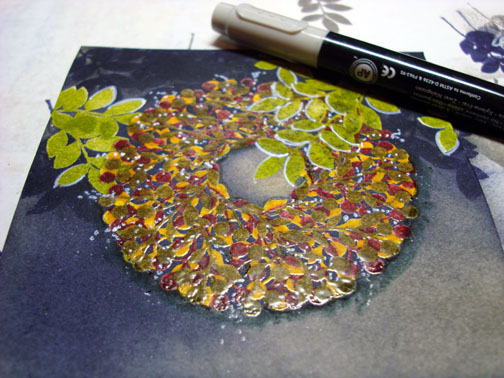
dsc06427.JPG

Edged the card stock with a Metallic Gold Sharpie Marker, by holding it half on the card stock and half on the scrap paper and running it straight down the edges.

Also did this step to my Always Artichoke panel. 
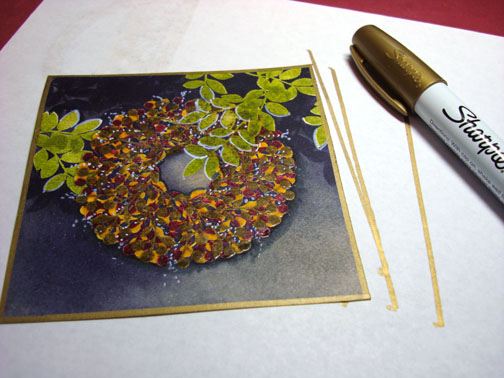
dsc06428.JPG

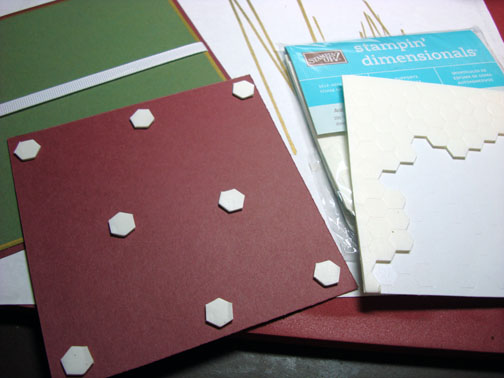
Started assembling my card front.  Added Dimensionals to the main image panel. 

Hello!  How do you get the paper off of the back of these *!@*!@# things?  Sorry, a little frustration coming out, lol.
dsc06429.JPG

Whew, here we go the finished card, measuring 5.5″ square.

dsc06431.JPG

Thanks for hanging in there through my craziness.  My next tutorial should be better, let’s all hope so anyway.  Maybe tomorrow I will have two cookies, yeah, that’s what I need.  :)

May your day be smooth sailing.

Until my next post. . . . .. . . . . .

Hugs,

Michelle

Links to all my tutorials can be found here:  http://zindorf.blogs.splitcoaststampers.com/tutorials-ive-written/

Here is a link to my workshop calendar if you want to get info on beginner and advanced Brayer workshops:  http://zindorf.blogs.splitcoaststampers.com/workshop-calendar
48 responses so far

Oct 14 2008

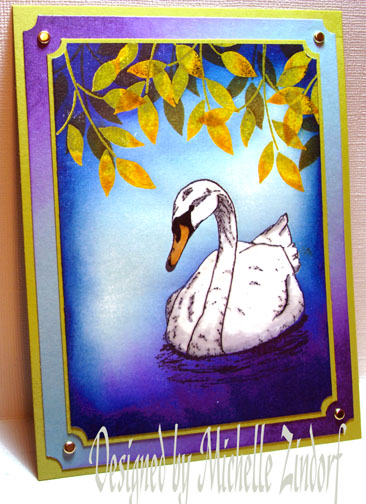
Fall Swan - Tutorial #134

Published by zindorf under Tutorials

dsc06404.JPG

I’m really loving this Swan stamp that I got from www.FirecrackerDesignsbyPamela.com.  I paired it up with the Stampin’ Up Best Blossoms leaves that I already had sitting on my work space from a couple of projects I made earlier this week.  I also put a twist on the brayered background by brayering at an angle to create an interesting light effect.  Check it out in today’s tutorial.

Let’s get started.  :)

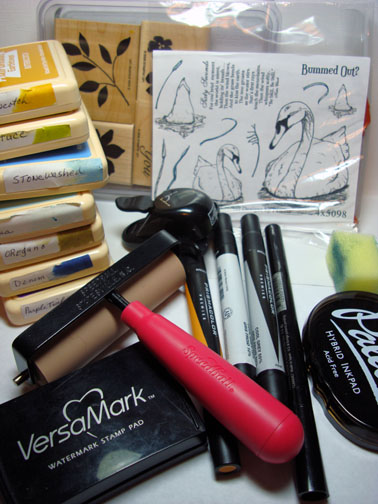
Supplies:

Stamps: FireCrackerDesignsByPamela “Swan Song” & Stampin’ Up Best Blossoms
Paper: Stampin’ Up Whisper White, Kiwi Kiss & Baja Breeze
Ink: Adirondack Butterscotch, Lettuce, Stonewashed, Aqua, Denim & Purple Twilight, Palette Noir Black
Accessories: Versamark Pad & Marker, Prismacolor Markers, Brayer, Fine Detail Clear embossing powder, heat gun, Sponge, Brads, Ticket Corner Punch

dsc06411.JPG

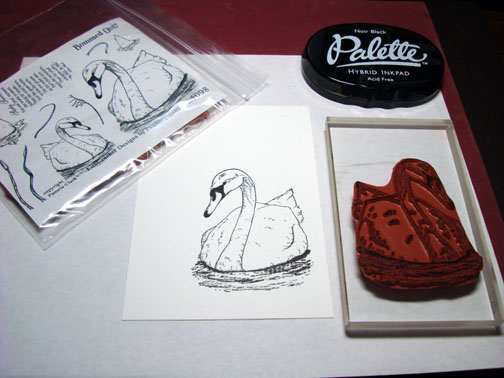
Stamped Swan on a 4″ x 5.5″ piece of Whisper White card stock using Palette Noir Black ink.

dsc06384.JPG

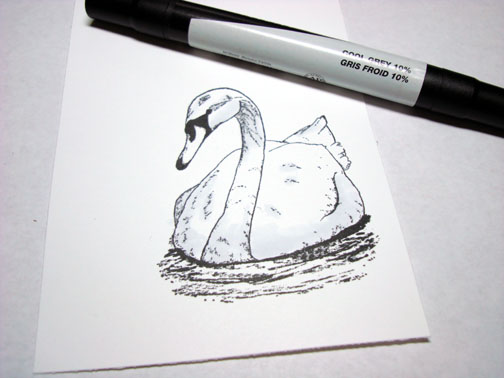
Colored the darker parts of the Swan with a Cool Grey 10% Prismacolor marker.

dsc06385.JPG

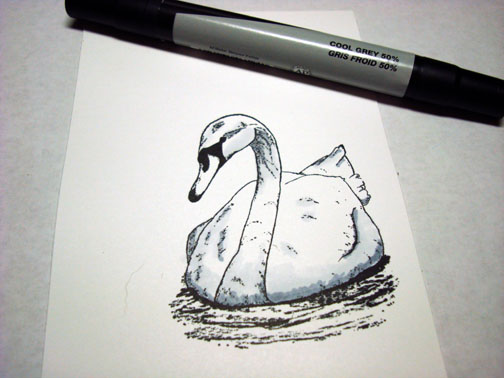
Added darker shadows on the Swan with a Cool Grey 50% Prismacolor Marker.

dsc06386.JPG

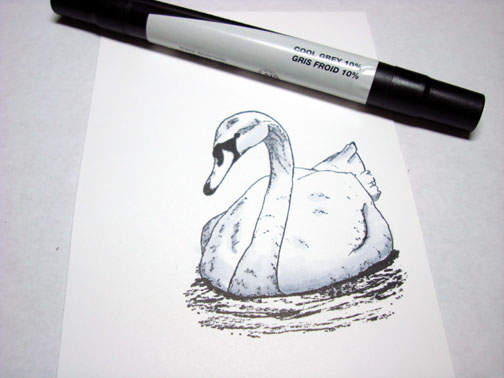
Went back over the greys again with the 10% Cool Grey marker to blend them together.

dsc06387.JPG

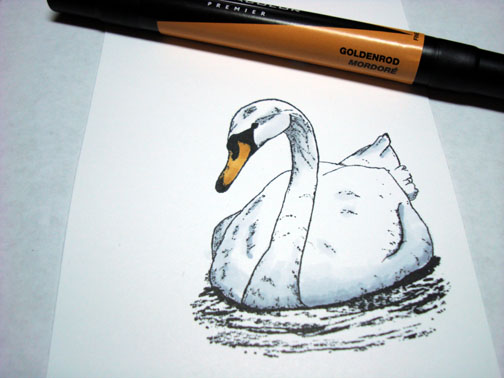
Colored the beak with a Goldenrod Prismacolor Marker.

dsc06388.JPG

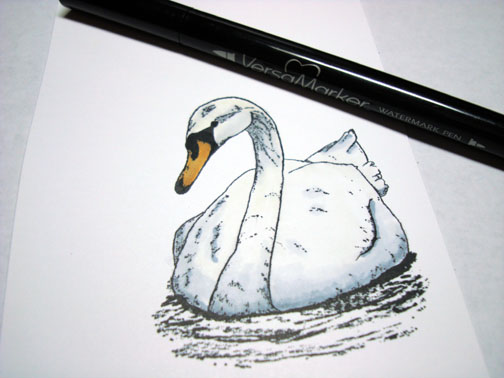
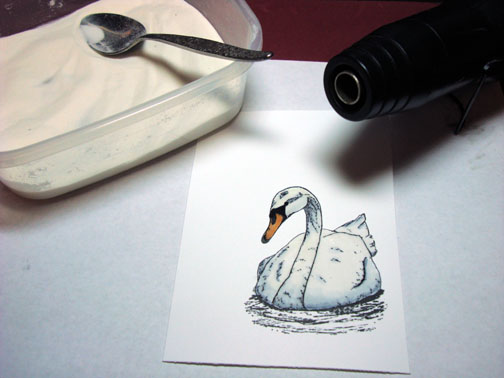
Colored over the entire Swan being very careful not to go outside of the design lines with a Versamark marker and then heat embossed the image with fine detail clear embossing powder and a heat gun.

dsc06389.JPG

dsc06390.JPG

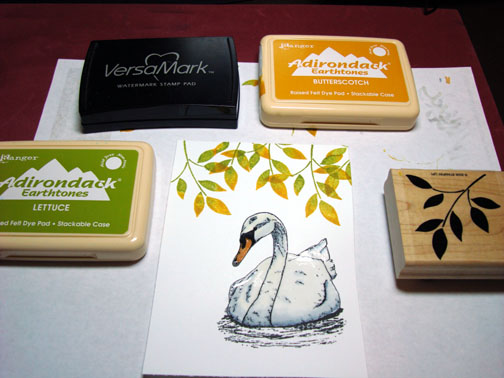
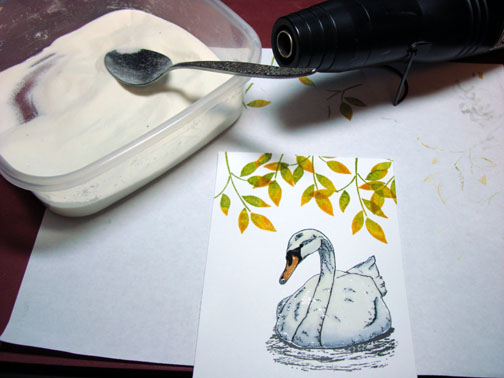
Stamped the leaves multiple times by first loading my stamp with Versamark, then Lettuce ink, then adding a bit of Butterscotch ink to the leaf tips with the corner of a Butterscotch ink pad before stamping.

dsc06391.JPG

Heat embossed the images using clear embossing powder and a heat gun.

dsc06392.JPG

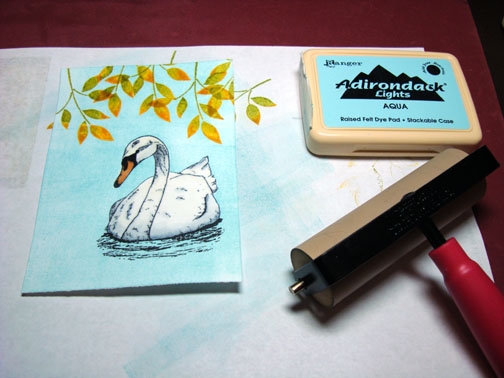
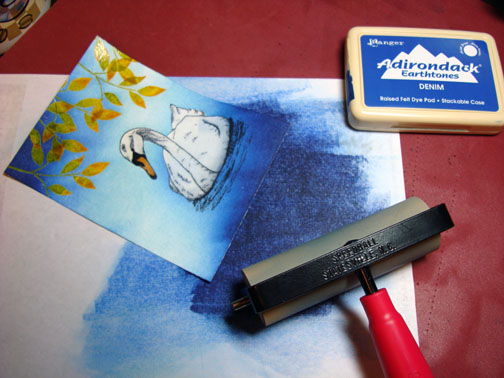
Brayered Aqua ink all over the card stock.

dsc06393.JPG

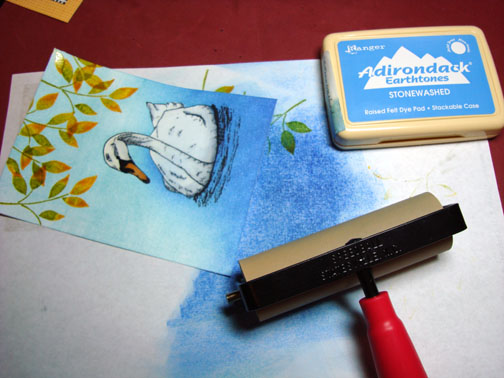
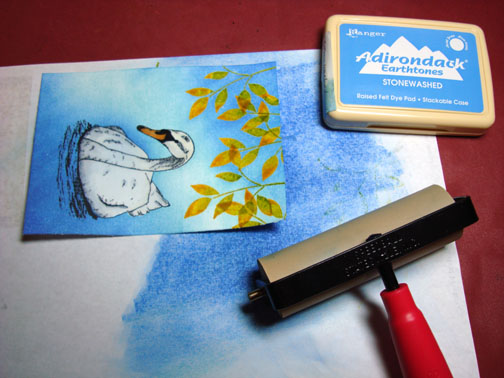
Brayered Stonewashed ink at an angle on the bottom right corner and the top left corner.

dsc06394.JPG

dsc06395.JPG

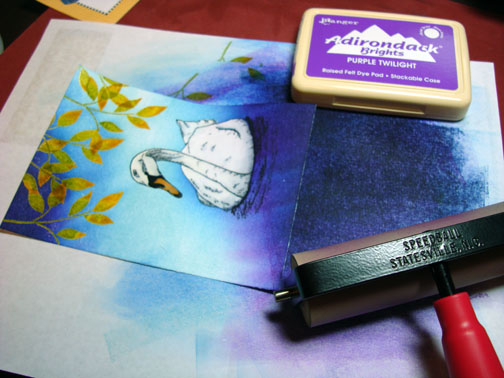
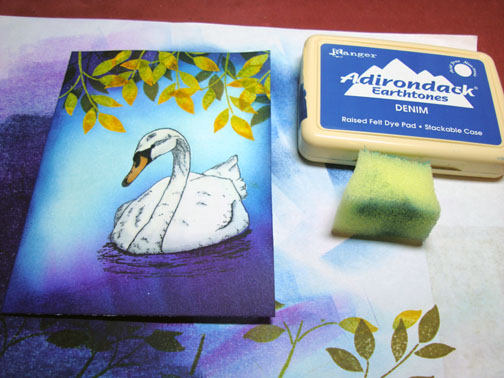
Brayered Denim ink on the bottom right and top left corners not covering the the Stonewashed ink entirely.

dsc06396.JPG

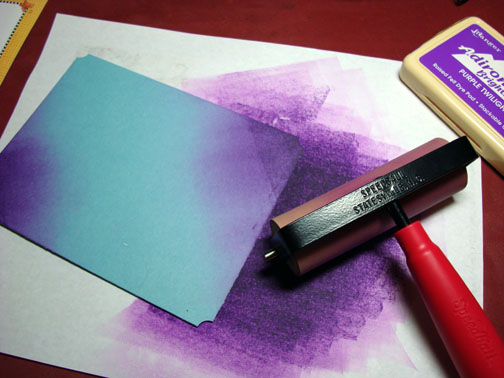
Still brayering at an angle, added a bit of Purple Twilight with the brayer on the bottom right and top left corners not covering the Denim ink entirely.

dsc06397.JPG

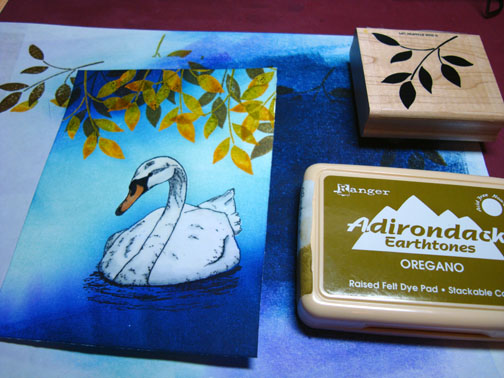
Over stamped the embossed leaves with Oregano ink to add some depth to the scene.

dsc06398.JPG

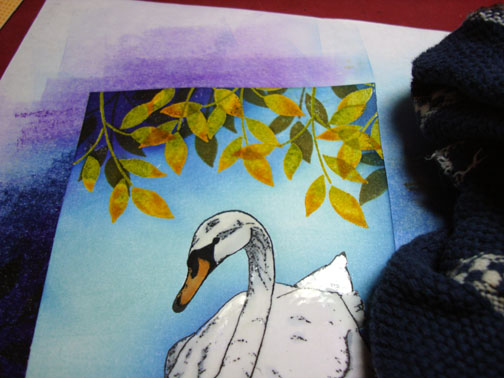
Wiped the ink from the embossed images using a soft rag.

dsc06399.JPG

Sponged Denim ink around the outside edges of the card stock.

dsc06400.JPG

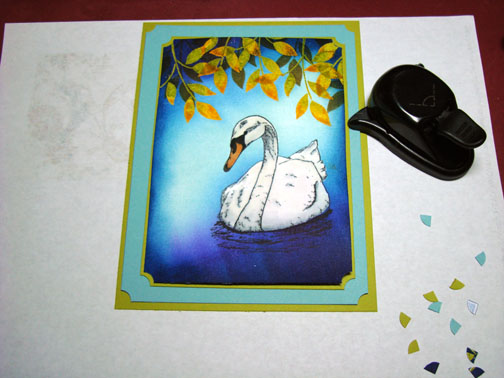
Used a ticket corner punch on all my panels except for the largest (bottom) panel.

dsc06401.JPG

Decided the background panels were a bit plain so I brayered on some Purple Twilight ink at the bottom right and top left corners of my Baja Breeze panel.

dsc06402.JPG

Assembled the card front and added some brads.  Here it is finished measuring 5″ x 6.5″.

dsc06404.JPG

Hope this tutorial has inspired you to try brayering from a different angle to see what happens.  It may surprise you!

May your day be as relaxing as this Swan scene.

Until my next post. . . . . . .. . . . . . .

Hugs,

Michelle

Links to all my tutorials can be found here:  http://zindorf.blogs.splitcoaststampers.com/tutorials-ive-written/

Here is a link to my workshop calendar if you want to get info on beginner and advanced Brayer workshops:  http://zindorf.blogs.splitcoaststampers.com/workshop-calendar
38 responses so far

Oct 13 2008

Whirling Leaves of Autumn - Tutorial #133

Published by zindorf under Tutorials

dsc06379.JPG

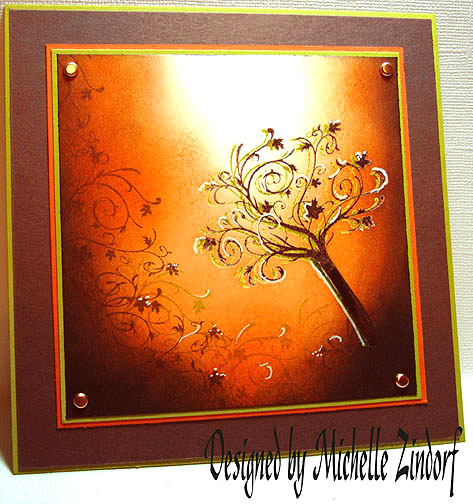
Autumn, Autumn, Autumn, I love Autumn!  This past weekend had the most perfect temperatures, warm during the day, the sky was blue the nights were cool.  We had family over for a Bonfire Saturday night.  Nothing fancy, just a big pot of Chili and grilled hotdogs.  Lots of hugs and laughter.  It was perfect!

Of course, I am in the mood for Autumn, hence the tutorial today of these whirling leaves.

Let’s get started.  :)

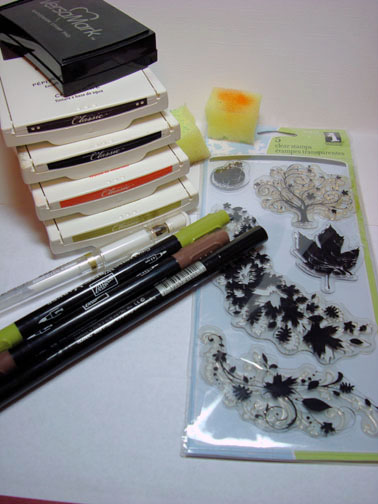
Supplies:

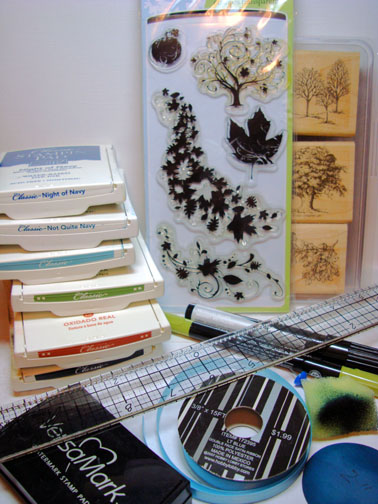
Stamps: Inkadinkado “Fall Season” & Stampin’ Up “Lovely as a Tree”
Paper: Stampin’ Up Baja Breeze, Basic Black, Whisper White
Ink: Stampin’ Up Night of Navy, Not Quite Navy, Baja Breeze, Old Olive, Really Rust, Basic Black
Accessories: Tim Holtz Ruler, Push Pin, Ribbon, Silver Brads, Prismacolor Metallic Silver Marker, Coluzzle Circle Template, Sponge, Versamark Pad, Fine Detail Clear Embossing Powder, Heat Gun

dsc06383.JPG

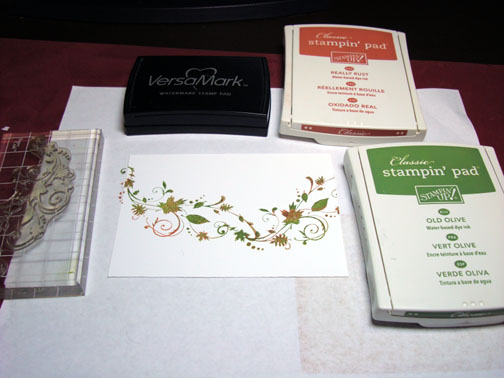
Stamped the leaves twice by first loading my stamp with Versamark, then loading it with Old Olive ink, used the corner of my Really Rust ink pad to add a touch of Rust on the leaves before stamping the stamp on a 3.5″ x 5″ piece of Whisper White card stock.

dsc06359.JPG

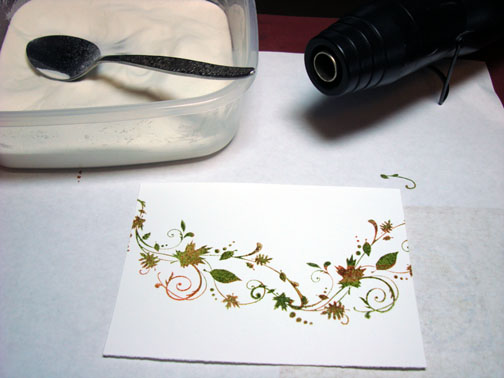
Heat embossed the images using fine detail clear embossing powder and a heat gun.

dsc06360.JPG

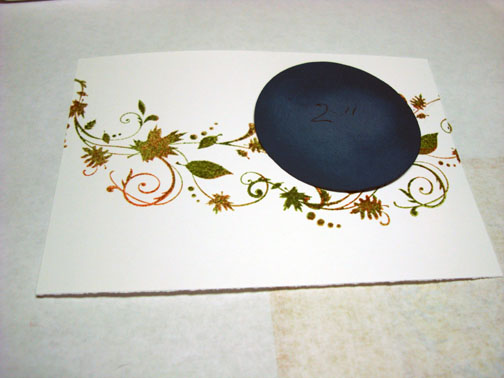
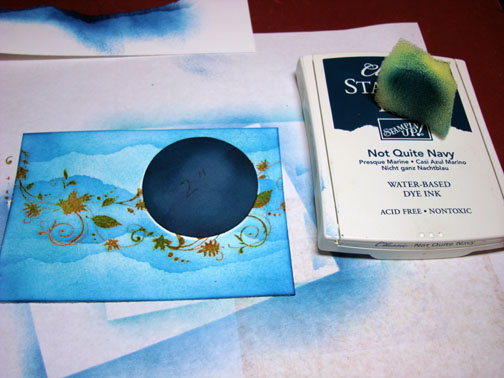
A long time ago I cut various circles of card stock out with my Coluzzle and I keep these and use them over and over again for masks.  The card stock mask I’m using for this piece is 2″.

dsc06361.JPG

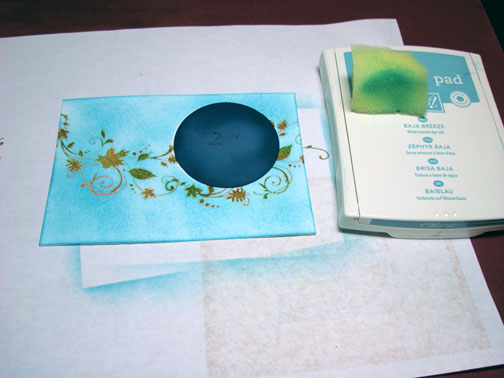
Holding my mask in place I sponge Baja Breeze ink all over the card stock using a circular motion.

Note:  The more ink you use when sponging the less blotchy your sponging will look.

dsc06362.JPG

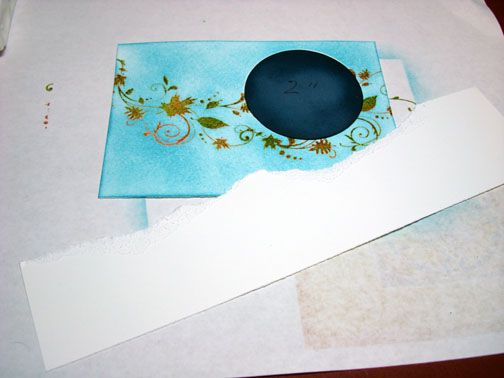
Ripped a piece of card stock to use as a mask.

Note:  I ripped a much longer piece of card stock than I thought I would need so I can move it around and not have the same pattern each time.

dsc06363.JPG

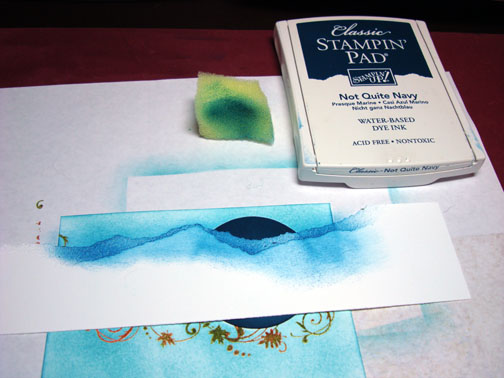
Held my masks in place and sponged Not Quite Navy lightly at the masks edge.

dsc06364.JPG

Moved the mask and repeated.

dsc06365.JPG

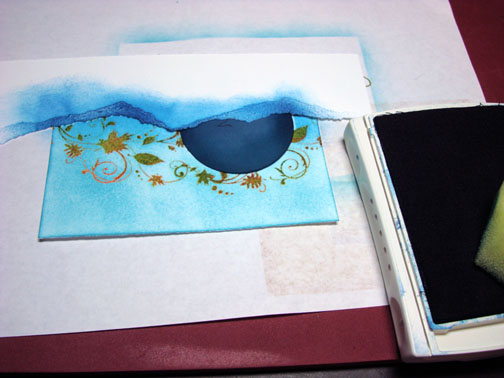
I kept moving the mask and sponging Not Quite Navy until I got the look I wanted.

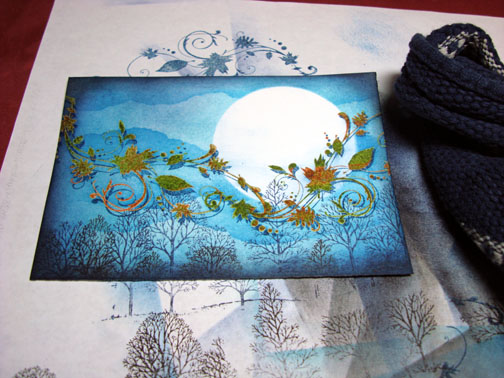
dsc06366.JPG

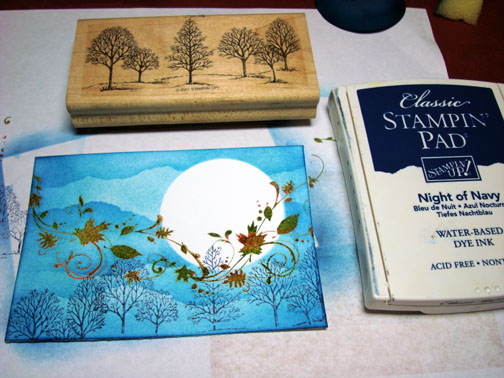
Removed the mask for the moon too.  Stamped the trees at the bottom of the card stock with Night of Navy ink.

dsc06367.JPG

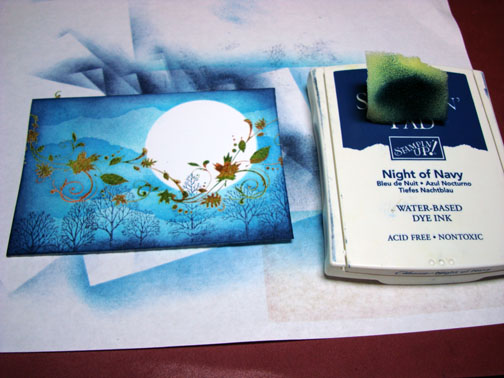
Sponged Night of Navy ink around the edge of the card stock.

dsc06368.JPG

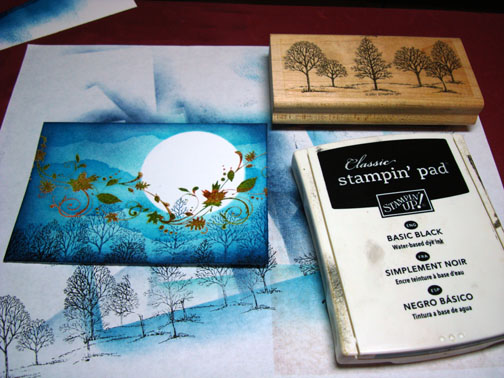
Added some trees with Black ink and sponged Black ink on the very edge of the card stock.

dsc06369.JPG

dsc06370.JPG

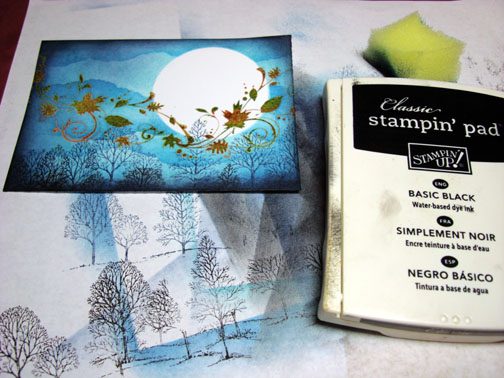
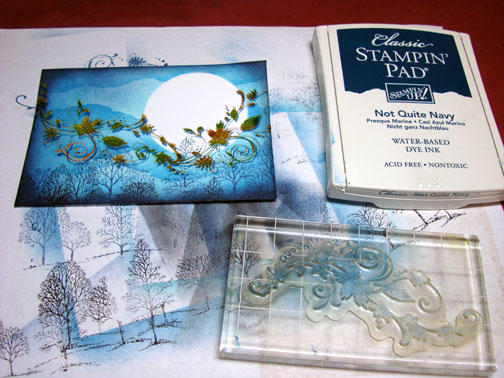
Over Stamped the whirling leaves with Not Quite Navy and a little off center from my original stamping of them to create a shadow.

dsc06371.JPG

dsc06372.JPG

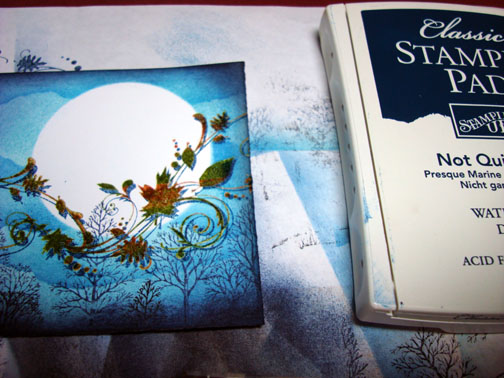
Be careful with this step.  Wiped the Not Quite Navy ink from the embossed leaves.  If you use a swiping motion, from left to right with your rag, it will give you streaks across your moon.

dsc06373.JPG

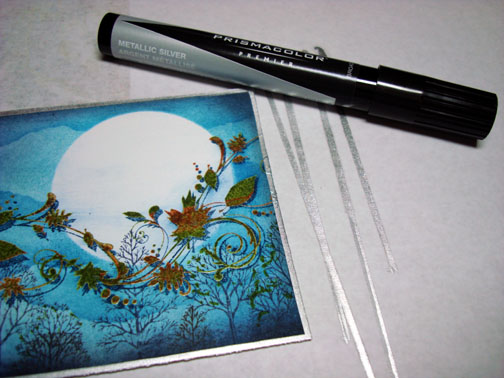
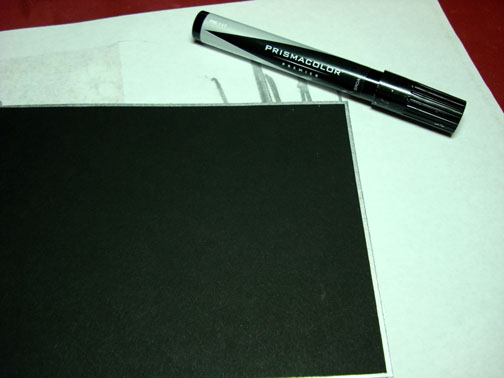
Added Silver to the edge of my piece by holding a Prismacolor Metallic Silver marker half on the card stock and half on the scrap paper and pulling it straight down the edge.

dsc06374.JPG

Did the same thing with the Silver Marker again only on my 5″ x 6.5″ bottom panel of black card stock.

dsc06375.JPG

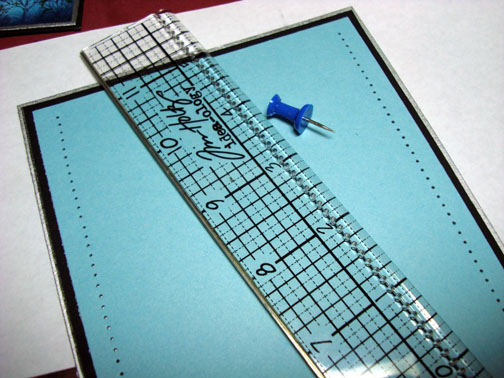
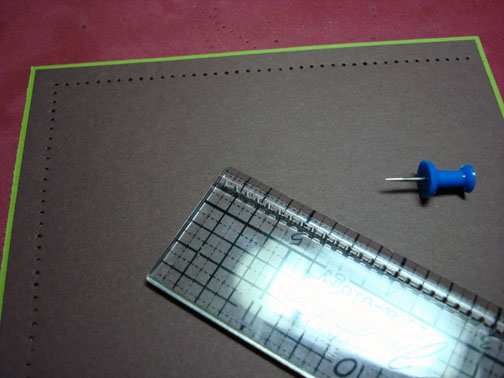
Added a panel of Baja Breeze card stock to the black card stock and pierced holes in the top and bottom of it with a Tim Holtz Ruler and a push pin.

dsc06376.JPG

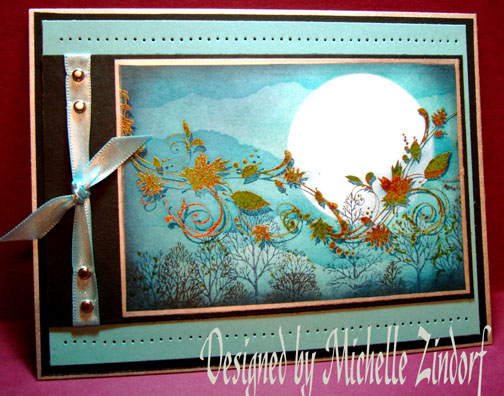
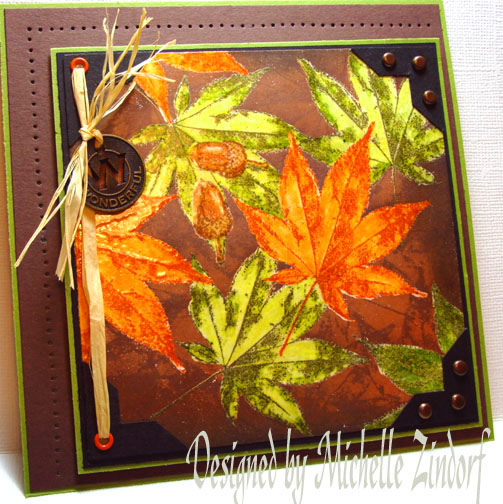
Assembled my card front and added ribbon and brads.  Here it is finished measuring 5″ x 6.5.

dsc06379.JPG

I hope this tutorial has inspired you to try a different approach to getting some variation in your skies.

May your day be filled with sunshine and perfect temperatures.

Until my next post. . . . . . . . . . . . .

Hugs,

Michelle

Links to all my tutorials can be found here:  http://zindorf.blogs.splitcoaststampers.com/tutorials-ive-written/

Here is a link to my workshop calendar if you want to get info on beginner and advanced Brayer workshops:  http://zindorf.blogs.splitcoaststampers.com/workshop-calendar
59 responses so far
« Prev - Next »